Your watch's data, understood.
Tired of screenshotting your sleep score into a chatbot, or wrestling with manual exports? WristWise connects your smartwatch health data straight to your own AI assistant. Ask about last night in plain language and get an answer built from your real numbers.
How WristWise works.
WristWise is the bridge between the watch you already wear and the AI assistant you already use. You set it up once, then just ask your questions where you always do.
The app reads your watch
WristWise reads your Samsung Health data through Health Connect and keeps a growing history right on your phone. Health Connect alone shows only the last 30 days. WristWise remembers further back, month after month.
You connect your AI
One tap sets up a secure MCP connector in your own AI assistant. From then on, your assistant can pull your latest sleep, heart rate and trends whenever you ask.
You just ask
No dashboards, no exports, no screenshots. Ask "how did I sleep?" in your assistant and get an answer built from your own numbers, with all the context your assistant already has about you.
WristWise is a wellness companion. It does not provide medical advice, diagnosis or treatment.
The app, in four screens.
Straight from the Google Play listing — what WristWise keeps, what you can ask, and how it stays private.



Your AI, your watch.
WristWise talks to your assistant through MCP, the open standard for connecting AI tools to your data. Set it up in the assistant you already pay for. WristWise adds no AI cost of its own.
Claude
Real-data access requires the WristWise Android app, available on Google Play, Health Connect and a compatible data source. Grant the app read permissions for the data you want to share. In Claude, open Customize > Connectors > Browse connectors, find WristWise and select Connect. For other MCP clients, add a custom connector with the server URL https://mcp-wristwise.offsite.ee/mcp and connect using OAuth. On the Connect WristWise page, scan the QR code with the WristWise app and approve the connection on your phone; return to Claude to finish. Ask about your sleep, heart rate or workouts. WristWise exposes six read-only tools and never writes to Health Connect. Reviewers without a phone can expand App-store reviewer?, enter the public synthetic demo selector PLAYREVIEW01 and select Approve with this Device ID instead of scanning the QR code. The demo contains no real person’s health data.
ChatGPT
Add WristWise as a custom MCP connector in ChatGPT’s settings (server URLhttps://mcp-wristwise.offsite.ee/mcp), connect using OAuth and approve in the WristWise Android app, and ask about your watch data the same way. Works in chat and in deep research.
Claude and ChatGPT are products of their respective owners. WristWise is an independent app and is not affiliated with or endorsed by them.
Your health data stays yours.
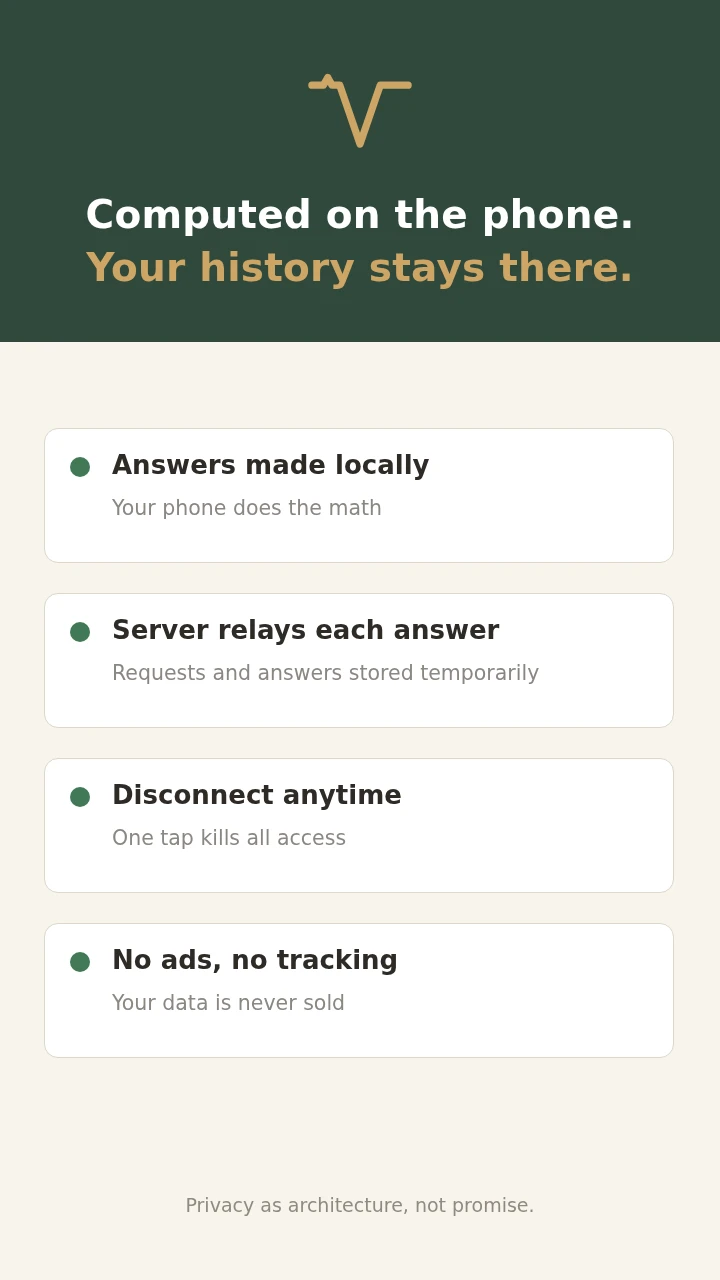
Health data is about as personal as it gets, so WristWise is built around one rule: your health history lives on your phone; only exchanges needed to answer your requests pass through our relay.
Where the data lives
WristWise reads Health Connect and keeps your history locally on the device. There is no account database of your health data.
Delivered, then cleaned up
When your assistant asks a question, WristWise wakes on your phone, answers from local history, and passes it through our relay. The relay stores the request and answer in its database and normally removes them after delivery, a timeout or later cleanup. Database files and backups can retain copies longer.
The answer, in your chat
Your AI receives only what your question needs. Your selected AI provider processes it under its own terms and privacy policy.
Try everything free for three weeks.
The full app, every feature, no card upfront. Keep it if the connection earns its place.
- Connect to your own AI assistant
- Full history kept on your phone
- Sleep, heart rate, SpO2 and trends
- On-device privacy, no ads
- Everything in Monthly
- One payment, twelve months
- Same three-week trial first
- Cancel anytime in Google Play
Questions, answered.
Which phones and watches does it need?
An Android phone with Health Connect and a data source such as Samsung Health, feeding it from a Galaxy Watch or Galaxy Ring. Other watches and rings that write to Health Connect work too. It does not run on a desktop, on a tablet without health data, or on iPhone.
Which AI assistants does it work with?
WristWise connects through MCP, so it works with assistants that support MCP connectors. Claude and ChatGPT are both supported. You use the assistant you already have.
Where is my health data stored?
Your health history is on your phone, inside Health Connect and the app’s local history. Requests and answers pass through our relay, which stores them in its database to deliver them. They are normally removed after delivery, a timeout or later cleanup; database files and backups can retain copies longer. Your selected AI provider processes returned data under its own terms. Disconnect in the app or your assistant; access also expires when the app has not checked in for 72 hours.
Do I set the connector up separately?
Yes. The app collects your watch data. The AI connector is added once inside your assistant's settings, which the app helps you do with a single tap. They are two steps because the app is the data bridge, not the chat itself.
Is this medical advice?
No. WristWise is a wellness app. It helps you notice patterns in your own data, and that is where it stops. For anything that worries you, talk to a doctor.
What does it cost, and when can I get it?
1.99 EUR a month or 19.10 EUR a year, after a three-week free trial with no card required. Now on Google Play.
Get WristWise.
Install WristWise on your Android phone and connect your own AI assistant.